
Choose the right companion
Add vaccination, care, weight and diary entries to the correct pet profile. Keep appointments separate from completed treatments.
OUR APPROACH TO PRIVACY
Pet profiles, care and health records, photos and documents are stored on your device. You do not need a PawPal account for core record keeping.
Your personal records are not automatically uploaded to our app server. You export your own backup and choose where to save it and whom to share it with. Backups are not automatic; losing your device or clearing app data can erase your records.
Advertising, Google Play and website hosting services may process data such as IP addresses, device details and transaction information for their own services. Support messages you choose to send and your selected cloud or sharing providers also involve processing the content you share. See the app’s privacy policy for details.
PAWPAL · HCS STUDIO
Vaccination dates, care routines and everyday notes for your companion. See what was done today and what is coming next.
Available on Google Play.
This website does not create accounts or take payments.
A SIMPLE START
Add vaccination, care, weight and diary entries to the correct pet profile. Keep appointments separate from completed treatments.
Record dates set by your vet and configure care reminders. The app is not a veterinary service.
Create a PDF health summary and manage your own file backup. Family and shared-record services are currently closed.
PawPal
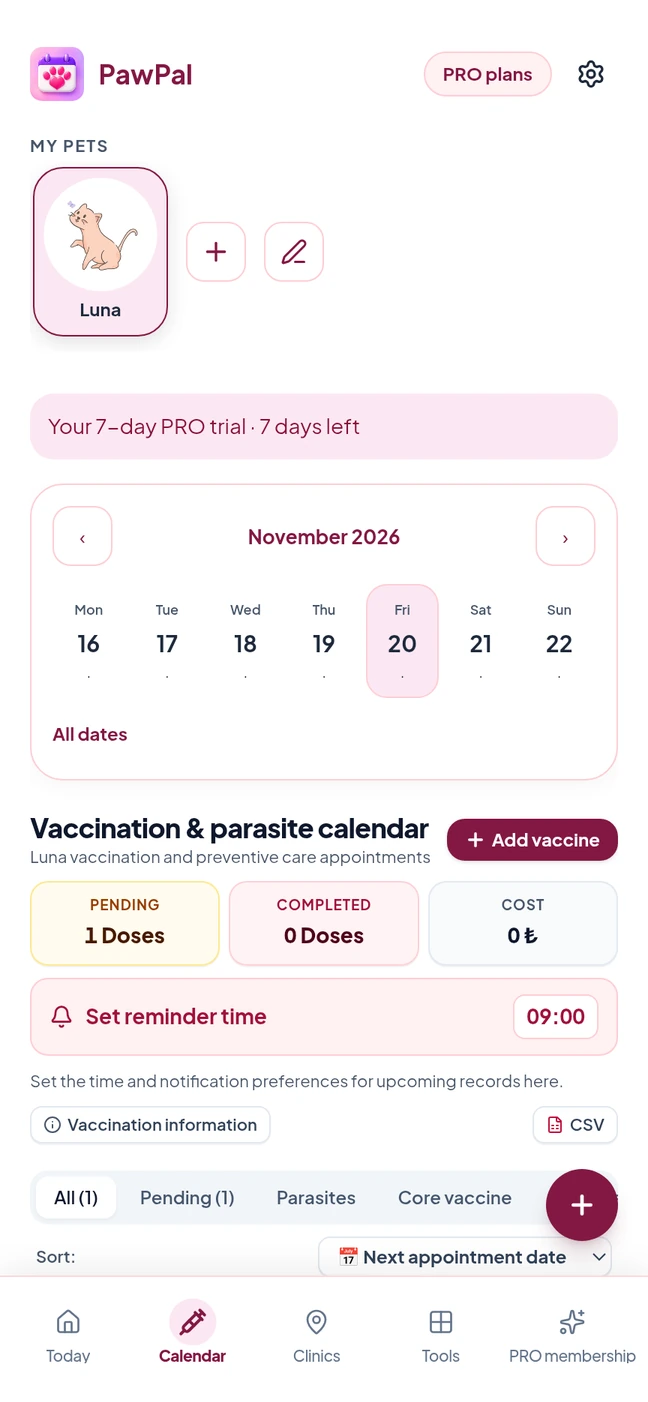
See the vaccination calendar, clinic search and how completed care appears on Today. The video uses real app screens with sample records and English on-screen text.
Basic use is free, with optional PRO.
Quiet instrumental music. The video plays when you start it.
PAWPAL AT A GLANCE
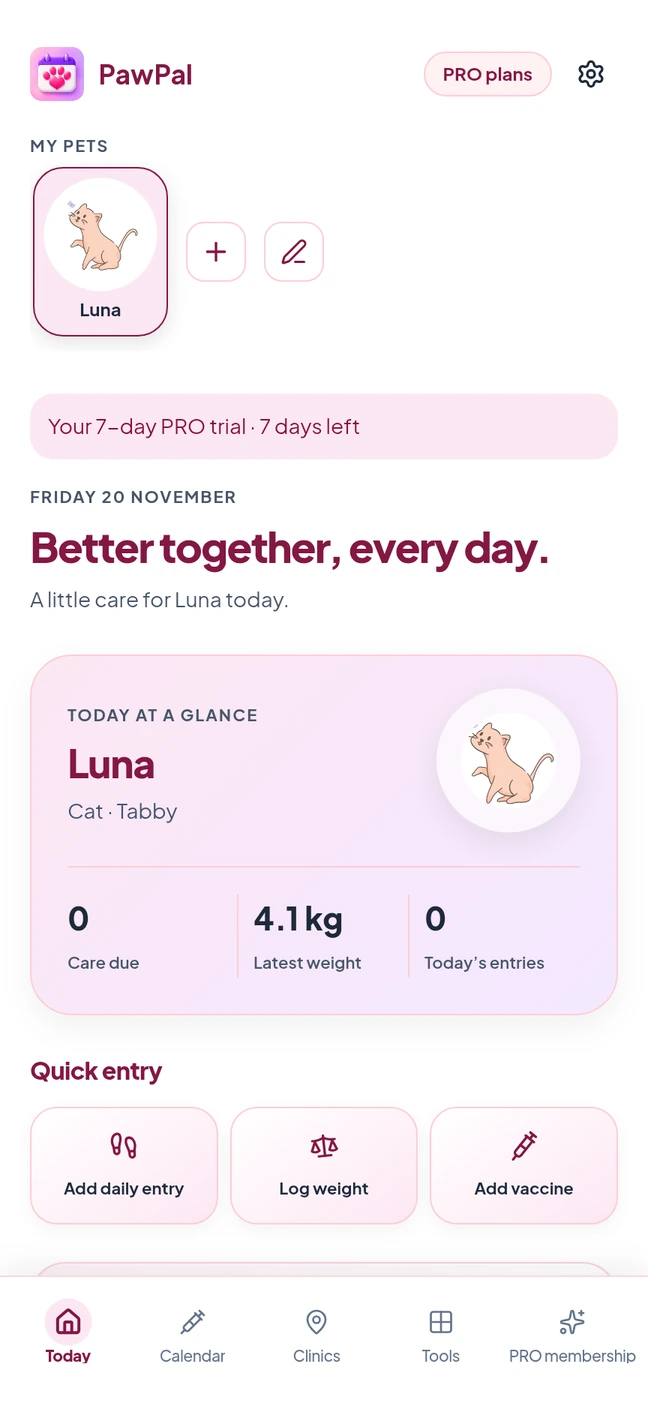
PawPal is an Android pet care app developed by HCS Studio. It helps cat and dog owners organise vaccination dates, care routines, weight measurements and diary entries by pet profile. Basic use does not require an account; personal records are stored on the device.
Add a species, name and photo. The selected pet’s records remain connected across sections.
Separate planned dates from completed tasks. Optional reminders are scheduled on your device.
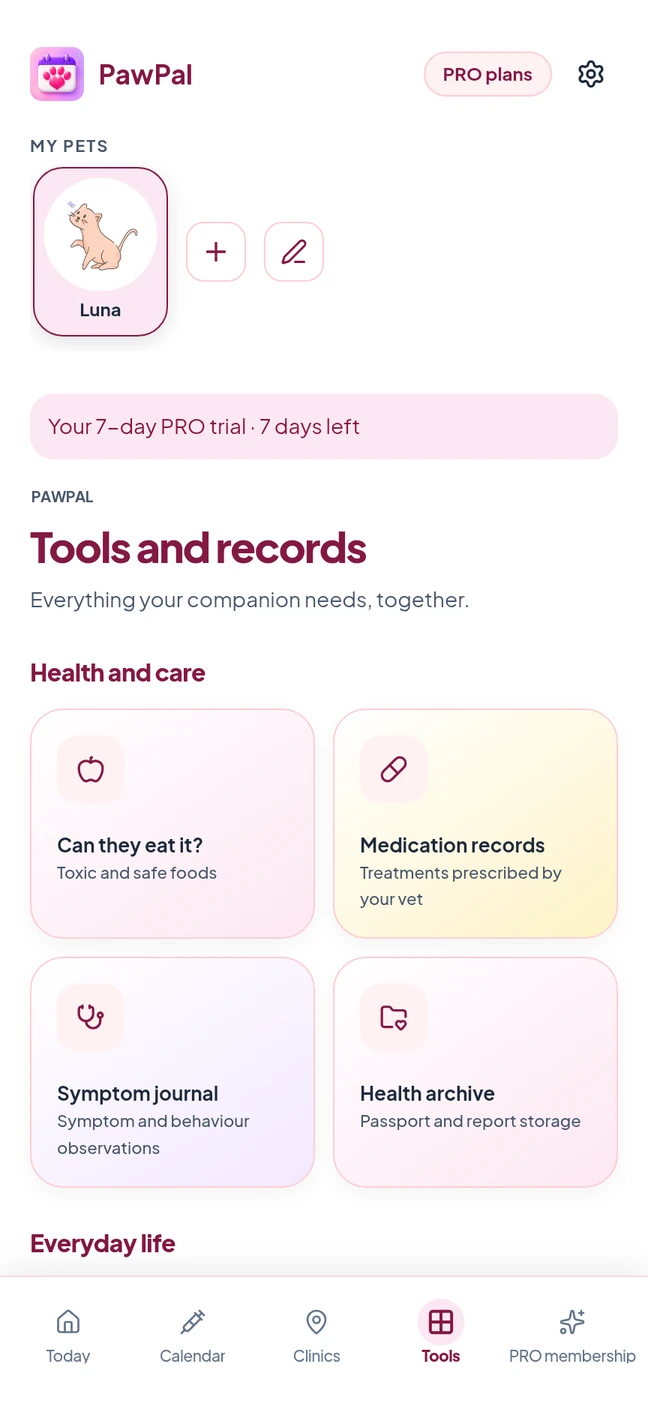
Keep daily observations, weight measurements and documents attached to the same pet.
Export your records and store a copy where you choose. Automatic cloud backup is not provided.
REAL SCREENS · SAMPLE RECORDS
Swipe to explore. Tap a screen for a closer look.
A LITTLE MORE ORGANISED
Keep these steps handy when using the app. They explain record keeping, not veterinary treatment.
Keep planned appointments separate from completed vaccinations in PawPal. A practical guide to pet selection, dates, reminders and record checks.
Read the guide ↗Care and remindersOrganise grooming and daily care by pet profile. Learn how completion status, saving and Android notification permissions work in PawPal.
Read the guide ↗Backups and emergency QRUnderstand file backups, PDF summaries and emergency QR cards in PawPal. Learn what is shared and what to check before changing phones.
Read the guide ↗PawPal helps organise vaccination, care, diary, weight and document records by pet profile. It tracks the information supplied by your vet; it is not a veterinary or diagnostic service.
Basic use is free and includes one pet, basic care and diary, five weight records and three documents. Backup and privacy access remain free. Optional PRO subscriptions display current prices and renewal terms in Google Play before purchase.
The app supports Android 7.0 and later with Turkish, English and French interfaces. Check Google Play for availability in your country and compatibility with your device.
No. After the first-launch introduction, choose your pet’s species and enter its details yourself. Pets shown in promotional screenshots are sample records.
Alerts are scheduled on your device using the saved date and time. Notification permission and relevant Android settings are required. Battery and background restrictions can affect delivery.
Saved records belong to the selected pet and are used across sections. Records remain on your device. Uninstalling or clearing app storage can remove them, so export a file backup.
A QR containing the phone-card link can open in another phone’s browser. It includes only the filled-in fields you choose. Anyone receiving the code can read those details. Test a sample on a second device before sharing.
No. A microchip number is a profile detail entered by the user. The app does not provide an official chip lookup, ownership verification or owner-finding service.
Not yet. Family plans and shared records are marked Coming soon and remain disabled in this release.
Open the Google Play link on this page and select Install. Google Play shows whether the app is available for your country and device.
HCS STUDIO
These pages are published by the app developer. They do not provide treatment or dosing advice. Contact a veterinarian in an emergency.
Updated: 21 November 2026 · Android 1.0.25
GO A LITTLE DEEPER
Separate scheduled appointments and completed records.
Read the guideOrganise your pet’s care routines.
Read the guideFile backups and the limits of the emergency card.
Read the guideAndroid version, availability and free features.
Read the guide